Yaw Boateng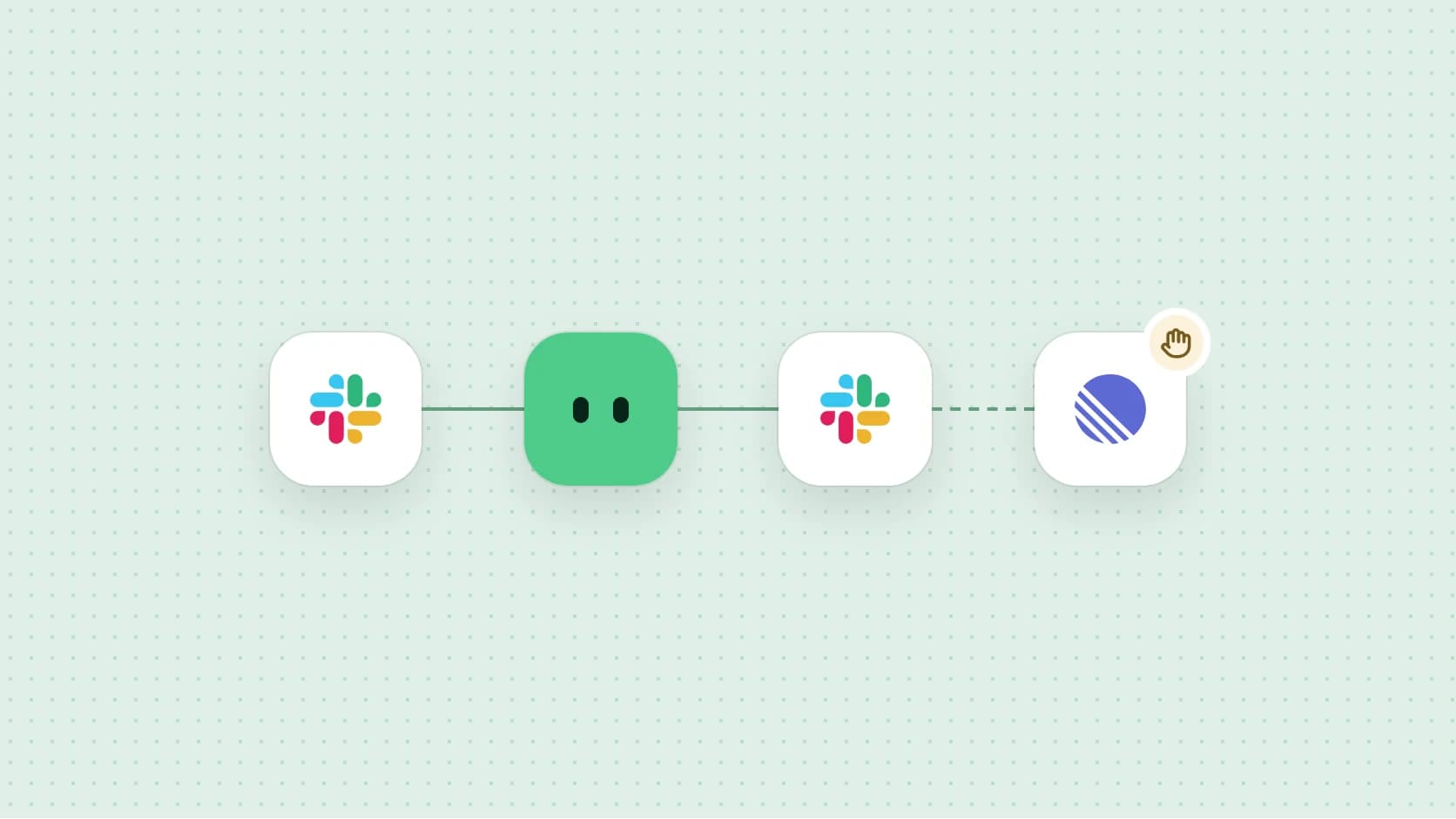
Most automations start with a blank canvas and a list of triggers. Ours start with a sentence. You tell Griddy what you want done, in the words you’d use with a colleague, and it comes back with a runbook: a written, testable version of that job that keeps running after the chat ends.
Start with a sentence
Here is a real kind of request, the sort people send on a Tuesday afternoon after something goes wrong:
Can you watch Slack for exposed credentials? Tell me privately, and propose a Linear issue, but don’t create it without asking.
There are four instructions hiding in that sentence: what to watch, what counts as a problem, who hears about it, and where the line is. A good runbook has to keep all four. Dropping the last one, “don’t create it without asking,” would make it faster and worse.
What Griddy writes down
Before it builds anything, Griddy checks what you can actually reach: which channels and DMs you’re in, which Linear teams exist. Then it writes the runbook in plain steps. Under the hood it looks roughly like this:
name: Private Slack credential watch
runs: every hour
looks_back: 24 hours
steps:
  - read: slack.channels_and_dms
    changes: nothing
  - check: secrets          # values are never stored
    changes: nothing
  - send: slack.dm          # only to you
    changes: a DM to you
  - ask: before filing
  - file: linear.issue
changes: one Linear issueTwo things matter more than the rest. ask is its own step, placed right before the one change that reaches outside your inbox. And every step says what it’s allowed to change, written down, not implied, so it survives every future edit.
A card shaped by its apps
The runbook arrives in chat as a card. We’ve redesigned that card, and the new version is rolling out now. The old one was a wall: status, warnings, a disabled button and a paragraph of jargon, all the same weight. The new one is small enough that the conversation above it stays readable, and it borrows its look from what the runbook actually uses.


Log new invoices to Sheets
Every Friday I find new invoice emails, read the PDFs, and add vendor, amount and due date to Invoices 2026. Anything already logged is skipped.
- Every Friday at 9:00 AM
- Search Gmail for invoices since last run
- Read vendor, amount and due date from each PDF
- Add one row per invoice to Invoices 2026Skips duplicates
- edits or deletes rows
- replies to or forwards an invoice
The strip across the top is tinted with the main app’s color and draws the real path from app to app. When a runbook grows past five hops, the middle folds into a “+N” so a seven-app month-end close is the same height as a two-app watch.
| Old card | New card | |
|---|---|---|
| Height in chat | About 760px | About 260px |
| What’s blocking it | “Structured workflow execution is not enabled” | One line, with the button that fixes it |
| Next step | Disabled Deploy | Test run, then Deploy, always in the footer |
| Motion | A spinner | Dots move along the path only while it runs |
Approvals stay where you put them
In the new card, every step that waits for you is drawn as a dashed line with a small hand. If a dashed hop gets folded into “+N,” the fold carries the hand, so an approval can never scroll out of sight.
Asking first is part of the job, not a setting. If you said it in the sentence, it belongs in the runbook.
Test on real work, then deploy
A runbook is a draft until it has run once. Test run uses your real data: it reads the last 24 hours of Slack and finds what it finds. Before anything leaves your inbox, it pauses and asks, so nothing goes out unless you say so. You see the result on the card, then decide.
- Fix anything blocking it. The card names the one setting and offers the button.
- Test run. Real inputs, a pause before anything leaves your inbox, a result you can check.
- Deploy. It runs on its schedule, in the cloud, whether your laptop is open or not.
What’s next
We’re bringing the same card to runbooks recorded from a guide, so it doesn’t matter whether you showed Griddy once or described the job in a sentence. Both should land in the same place, ready to test.
If you have a job you’d like to hand off, download Infragrid and describe it in one sentence.